Pular para o conteúdo
Menu

Componentes

auto height

Explore prévias interativas, encontre os componentes ideais e incorpore componentes abertos ao seu projeto com o código-fonte incluído.

Compare estes componentes

Escolha pelo comportamento e pelo layout; depois confira os frameworks disponíveis e os requisitos de acesso na página de cada componente.

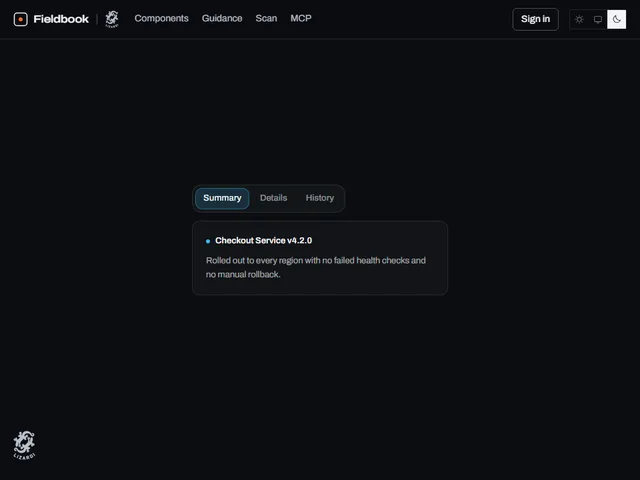
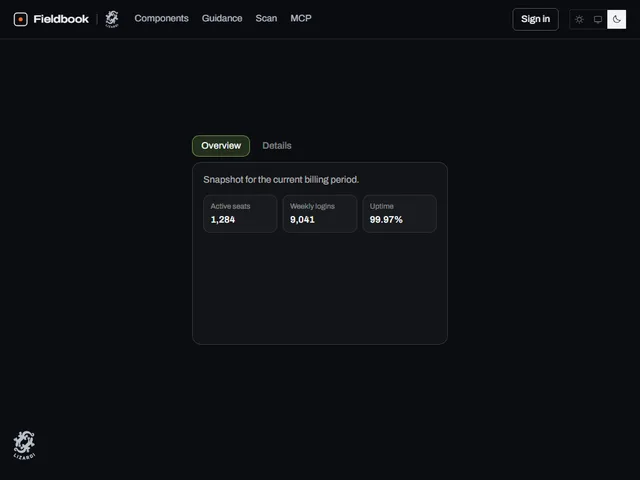
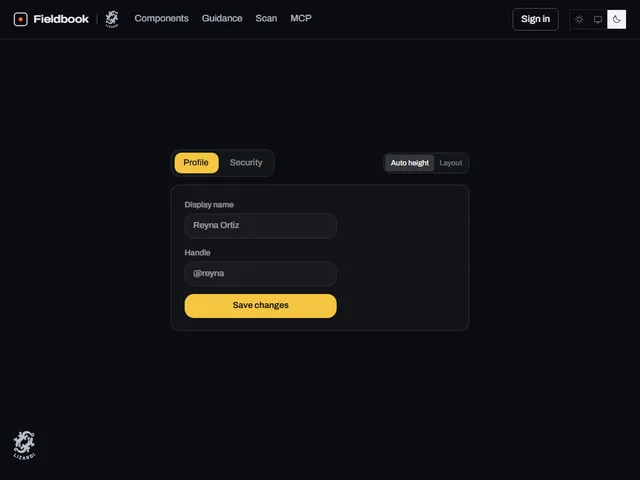
  • Auto height tabs

    Um grupo de guias cujo contêiner de conteúdo redimensiona suavemente sua altura para caber em cada painel conforme você alterna entre guias, em vez de pular ou deixar espaço vazio.

  • Bare Sliding Tab Strip

    Uma faixa de abas unstyled-by-default cujos painéis ficam lado a lado em uma tira de filme que desliza lateralmente no switch enquanto a altura do quadro se ajusta facilmente.

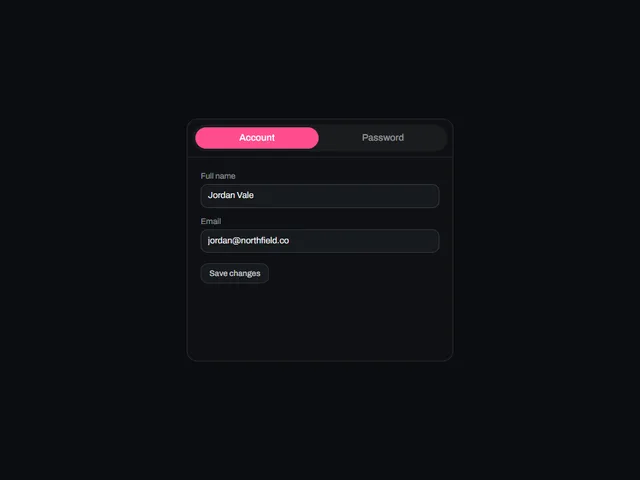
  • Sliding height tabs

    Guias emolduradas em um cartão onde a troca de painéis desliza toda a trilha de conteúdo lateralmente como uma tira de filme enquanto a altura do cartão diminui para combinar com o novo painel.

Orientações de design
Abrir o índice completo
Etiquetas
3d (16)accessible (4)accordion (9)action (3)actions (6)activity (5)add (7)admin (12)agent (12)alert (8)align (3)ambient (39)analytics (13)anchored (3)animated (82)animation (4)annotation (3)app shell (3)arc (4)arcs (3)area (12)area chart (4)arrow (32)audio (3)aurora (4)auth (11)authentication (12)auto height (4)autocomplete (4)avatar (10)avatars (3)axis (5)backdrop (18)backer (3)background (54)badge (21)band (6)banner (9)bar (16)bar chart (3)bars (6)beam (6)beams (5)bevel (12)bezel (3)billing (10)bin (3)blend (4)blob (4)blobs (3)bloom (10)blur (15)booking (9)bookmark (3)border (16)bounce (6)brackets (3)breadcrumb (4)breathing (3)broadcast (3)burst (7)busy (5)button (397)button group (5)buttons (4)calendar (32)call to action (11)callout (3)canvas (89)capsule (12)caption (8)card (35)cards (7)caret (5)carousel (11)cascade (3)category (3)cells (4)chain (3)characters (4)chart (59)chat (4)check (3)checkbox (13)checklist (7)checkmark (5)chevron (10)chip (22)chips (4)circle (9)circular (5)click (7)clip (9)clipboard (3)close (4)cloud (3)cluster (3)code (6)collapse (11)collapsible (6)collision (3)column (4)columns (3)combobox (4)command palette (3)commercial (10)compact (8)comparison (8)composer (4)concentric (4)confetti (4)confirm (24)confirmation (7)console (5)contact (3)context menu (4)controlled-state (18)copy (4)corner (6)corners (7)count (7)count-up (3)counter (18)crossfade (5)crosshair (6)cta (28)cue (4)cursor (26)curtain (7)curve (4)customer (13)cycle (6)dark (15)dark mode (4)dashboard (9)dashed (5)data (13)date picker (16)date range (13)deck (3)delay (5)delete (8)depth (32)destructive (9)destructive-action (4)device mockup (3)diagonal (13)diagram (3)dial (5)dialog (17)digits (5)direction (5)disc (5)disclosure (8)dismiss (6)displacement (3)distortion (5)divider (4)dock (4)donut (7)dots (15)download (10)drag (21)draw (3)drawer (10)drift (17)dropdown (18)dropdown menu (3)duration (3)easing (4)echo (3)edge (7)edge light (3)editor (3)elastic (8)elevation (6)ellipsis (3)email (3)emboss (4)emphasis (3)empty state (3)entrance (14)error state (3)events (3)exit (3)expand (23)explorer (3)fade (9)falling (3)falloff (4)fan (6)faq (4)feed (3)feedback (12)field (6)fill (46)film (3)filter (13)finance (10)flat (6)flat shadow (3)flight (3)flip (10)floating panel (4)flood (14)flow (5)fluid (3)flyout (3)focus (19)focus ring (5)focus trap (6)folder (5)follow (11)form (47)form-control (12)formatting (3)frame (19)gallery (15)game (3)gap (4)gauge (5)gesture (6)ghost (7)glare (3)glitch (9)glow (39)glyph (7)gradient (38)grain (10)gravity (3)grid (35)group (8)guide (3)hairline (8)halftone (4)halo (15)hamburger (4)hard shadow (6)heading (8)headline (19)hero (11)hexagon (3)highlight (22)hinge (4)hint (12)hold (6)horizon (3)horizontal (4)hover (251)hover card (10)hover reveal (3)icon (121)icon-button (23)icons (4)identity (3)indeterminate (4)indicator (9)inertia (4)initials (3)ink (4)inline (5)input (20)input group (3)inset (11)interactive (50)invert (26)italic (3)key (11)keyboard (20)keyboard navigation (6)keycap (10)knob (4)kpi (5)label (14)label reveal (3)label swap (9)labels (7)lag (4)lattice (4)launch (3)layered (9)layers (3)layout (18)ledge (6)legend (9)lens (4)letters (10)lift (19)light (22)lightbox (4)like (4)line (11)line chart (4)lines (8)link (11)link preview (7)liquid (7)list (13)live (3)loader (9)loading (27)log (3)login (10)loop (42)magnet (5)magnetic (3)magnify (3)map (4)marker (3)markers (6)marquee (8)mask (9)matrix (4)media (4)menu (23)merge (3)mesh (5)message (4)metal (10)meter (5)metric (10)metrics (5)minimal (10)modal (19)monospace (12)monthly (12)morph (14)motion (3)motion tuning (3)moulded (6)multi-select (4)nav (3)navbar (3)navigation (21)nested (7)neutral (4)night (4)noise (16)notification (3)notifications (4)nudge (4)number (11)odometer (5)offset (7)on-off (4)onboarding (3)one time code (5)options (5)orb (4)orbit (13)otp (3)outline (63)outlined (4)overflow (7)overlay (24)overshoot (3)page (18)palette (3)panel (31)panels (6)paper plane (4)paragraph (3)parallax (15)particles (18)paste (3)path (4)pattern (9)percentage (4)perimeter (3)perspective (20)photo (5)physics (5)picker (3)pie (7)pill (83)pill switch (4)pin (3)pinned (3)pixel (3)placeholder (4)plane (5)plate (9)play (4)playful (7)pointer (65)polar (8)pop (4)popover (17)post card (3)power (3)press (77)pressed (6)pricing (3)primitive (4)print (4)product (6)profile (8)progress (27)proportion (4)providers (4)pulse (17)queue (3)quiet (5)radar (9)radial (8)radio (4)radio group (8)raised (3)ramp (5)ranking (3)rays (4)readout (4)record (4)registration (3)relay (3)relief (6)remove (3)reorder (3)resize (4)restore (3)retro (4)retry (3)reveal (80)ribbon (6)rim (8)ring (25)rings (10)ripple (18)rise (3)roll (6)rotate (21)rotating text (4)rotation (6)round (5)rounded (3)row (11)rows (4)save (5)scale (20)scan (5)scatter (4)scheduler (3)scramble (5)screen (3)screenshot frame (3)scroll (38)scrub (5)search (8)section (4)sections (4)segmented (7)segmented control (12)select (5)selection (5)send (23)sequence (8)series (7)settings (21)shadow (28)shape (3)share (25)shared element (4)sheen (14)sheet (4)shell (3)shimmer (8)shine (5)shortcut (4)shuffle (3)shutter (5)sidebar (7)sign in (11)signal (8)signup (9)silhouette (3)sizes (4)skew (9)slab (6)slide (20)slider (10)sliding highlight (7)sliding indicator (3)snap (4)social (6)soft (6)space (5)spark (3)sparkline (3)spin (15)spinner (9)split (9)split-flap (3)split text (3)spotlight (7)spring (63)square (5)squash (4)stack (17)stacked (7)stagger (40)staircase (3)star (3)stars (6)stat (5)state (11)static (3)status (21)stepper (3)steps (3)sticker (4)sticky (4)streaks (3)strikethrough (3)stripes (5)stroke (6)submenu (9)submit (7)subtle (3)success (3)surface (5)svg (102)swap (12)sweep (40)swell (4)swipe (5)swirl (3)switch (16)tabs (22)tactile (26)tap (4)target (3)task (3)team (5)terminal (3)text (40)text button (3)text-effect (3)text field (4)text transition (3)textarea (4)texture (11)theme (3)theme toggle (4)thumbnail (4)ticker (5)tile (16)tiles (12)tilt (26)time (3)time range (3)time series (3)timeline (3)timer (3)timing (5)tint (5)toggle (65)toggle group (10)toolbar (25)tooltip (37)total (3)touch (3)trace (4)tracking (6)trail (20)transition (6)translucent (9)travel (6)tray (3)tree (3)trend (10)trigger (4)tunnel (4)twinkle (4)typewriter (9)typing (8)typography (18)underline (10)upload (5)uppercase (14)validation (5)value (3)values (4)variants (4)velocity (3)verification (8)video (4)viewport (6)voice (3)warp (6)wash (5)wave (13)waveform (3)waves (7)window (3)wipe (23)wireframe (3)wireless (3)wobble (6)word swap (3)words (3)workflow (18)workspace (36)wrapper (3)zoom (4)