Charts
Spoke area chart
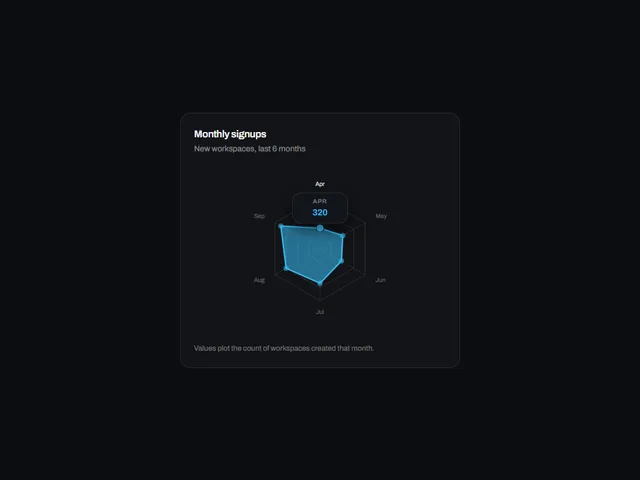
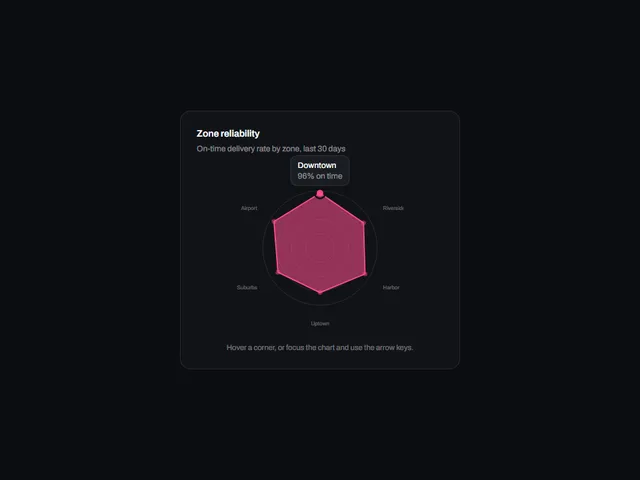
Spoke area chart: A polar plot where labelled spokes carry one series as a translucent closed shape over a polygon grid, with a readout that snaps to the nearest spoke.
Using Spoke area chart
Spoke area chart uses the card preview frame with a light/dark theme setting.
Customize the preview
These controls are passed to the demo. Defaults and limits describe the preview; consult the implementation for its full prop API.
| Control | Type | Default | Preview limits |
|---|---|---|---|
accent | color | #FF6A1F | No additional limit in the metadata. |
fillOpacity | number | 0.55 | From 0 to 1; step 0.05 |
rings | number | 4 | From 2 to 6; step 1 |
strokeWidth | number | 2 | From 1 to 4; step 0.5 |
animate | boolean | true | No additional limit in the metadata. |
Which frameworks are available for Spoke area chart?
Spoke area chart is available for React, Vue, Svelte, Astro, HTML. The live preview uses React; the source observations below apply to index.tsx. Check the selected port before relying on the same interactions.
What does Spoke area chart depend on?
The React metadata lists these npm dependencies beyond React: motion.
What accessibility details are visible in Spoke area chart?
The React source for Spoke area chart includes: attributes and handlers (aria-label, aria-live, onKeyDown, tabIndex); explicit roles (img); key comparisons (ArrowLeft, ArrowRight, Escape). These are source observations. Verify accessible names, focus order and keyboard behavior in the composed page.
How does Spoke area chart handle reduced motion?
Spoke area chart reads the motion preference in its React source through useReducedMotion(). Check the full implementation, shared styles and selected port with reduced motion enabled; these observations do not establish that every animation stops.